Self-hosted · Open infrastructure · v2.2.8

Your content.
Your server.
Streamed your way.

Omnius is a self-hosted streaming platform you point at your own content via URLs — torrents, EZTV, and M3U playlists. Run the server anywhere, watch on the Android TV app.

No content included. Omnius is the player + backend — you bring the sources.

URL-based content

Bring the link. Omnius does the rest.

Nothing is bundled or hosted by Omnius. You add what you want to watch by URL, and the server resolves, organizes, and streams it to your devices.

🎬

Movies & Series

Add titles by IMDB code or magnet / info-hash. Omnius pulls metadata and streams directly from the torrent — per-episode for shows.

magnet:?xt=urn:btih:…
📺

Live TV

Point it at any M3U playlist. Channels group by country with logos, EPG, and an automatic dead-stream health check.

https://…/playlist.m3u

One backend, every screen

A single server powers the Android TV app and a built-in admin. Curate home rows, manage content, watch anywhere.

api.your-domain.tld
The app

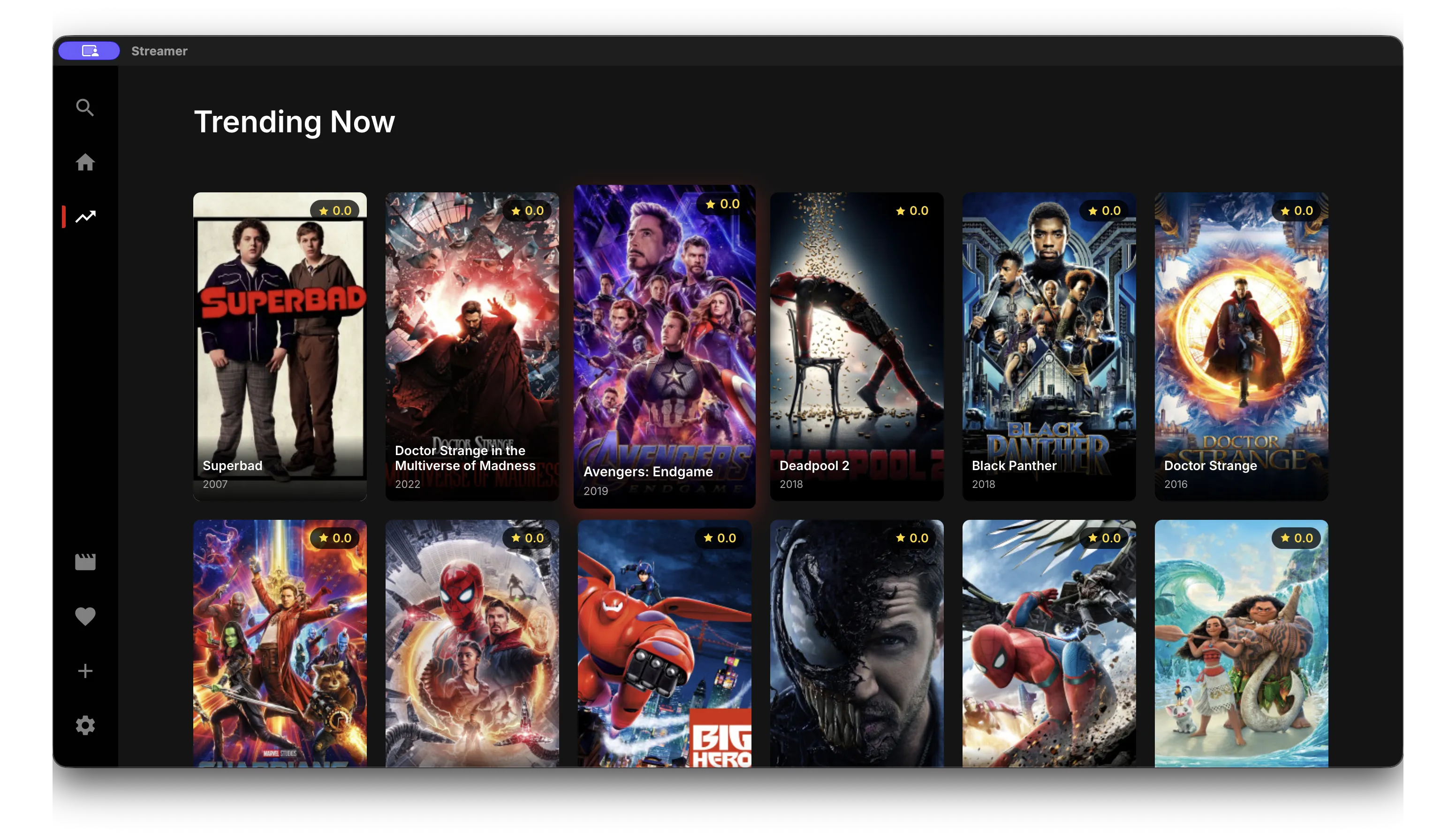
Omnius for Android TV

Install the APK on your Android TV box, Google TV, or Fire TV. Point it at your Omnius server and start watching.

  • Movies, TV series & live channels in one app
  • Built-in torrent engine — stream while it downloads
  • Subtitles, watch history & favorites
  • In-app updates from the public release feed
↓ Download omnius-tv.apk

Sideload via Downloader or adb install omnius-tv.apk. ~34 MB.

Omnius app home screen
Run the server

Self-host in one command

Omnius ships as a public container image and a single binary, straight from the release feed. Run it on a VPS, a home server, or a Raspberry Pi.

🐋 Docker

docker
$ docker run -d --name omnius \
    -p 8080:8080 \
    -v omnius-data:/app/data \
    -e ADMIN_PASSWORD=changeme \
    ghcr.io/omniusrepos/omnius-server:latest

# admin → http://localhost:8080/admin

📦 Binary (any Linux server)

bash
$ curl -L …/releases/latest/download/omnius-linux-amd64 \
    -o omnius
$ chmod +x omnius
$ ADMIN_PASSWORD=changeme ./omnius

# listening on :8080 · arm64 build also available
After it's up: open /admin, add your first movie by IMDB code or a live-TV M3U URL, then connect the Android app to your server's address. Data lives in /app/data — back it up.